TT
Real Swing Sensing
Apple Watch reads quick, deliberate strokes through its motion sensors to mimic real table-tennis smashes and blocks.
Real table tennis, powered by your wrist. Your iPhone is the table and scoreboard, while Apple Watch senses your actual swings — flick, smash, score. Every shot is one you really make.
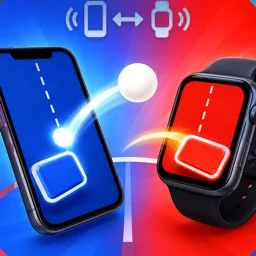
No tapping the screen — you actually swing your arm. Your wrist becomes the racket.
Apple Watch reads quick, deliberate strokes through its motion sensors to mimic real table-tennis smashes and blocks.
iPhone shows the table, score, and timing zone; Apple Watch handles your swings — synced in real time.
Set your active hand to match the wrist you wear the watch on, so every swing is detected accurately.
Matches run on a HealthKit workout session to keep sensing and connection alive — the more you swing, the more you move.
Pair, connect, swing — you're at the table in seconds.
Make sure iPhone and Apple Watch are paired, with Bluetooth and Wi-Fi turned on.
Launch the app on both phone and watch; they detect each other and connect automatically.
Watch the timing zone on iPhone and flick your wrist to return the ball — win every point.
FAQ and how to reach us
How we handle your data